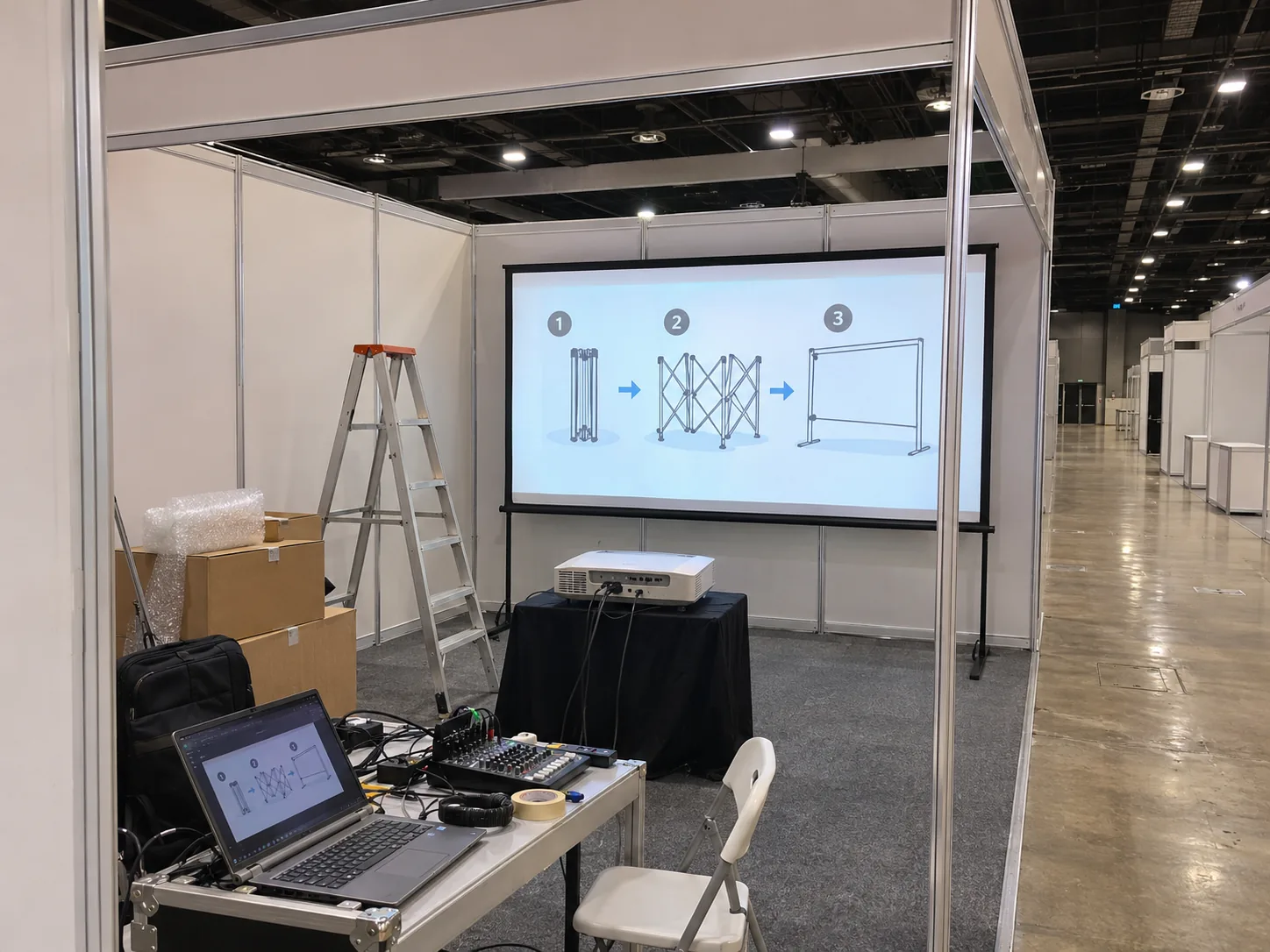
Short throw for a shallow room or booth
Active image at 16:9 · 2.66 × 1.49 m
A 120-inch widescreen image is about 2.66 m wide. At a 2 m lens distance, check a throw ratio near 0.75:1.
CK serves Bukit Bintang, Jalan Imbi, Changkat and Hang Tuah with projector hire, portable screens and on-site AV setup. A Bintang Walk ballroom, a Jalan Imbi classroom and a BBCC retail booth each need a different setup. Send the room name and venue pin, and tell us which seats need to see the smallest detail on screen.
Active image at 16:9 · 2.66 × 1.49 m
A 120-inch widescreen image is about 2.66 m wide. At a 2 m lens distance, check a throw ratio near 0.75:1.
Active image at 16:9 · 3.32 × 1.87 m
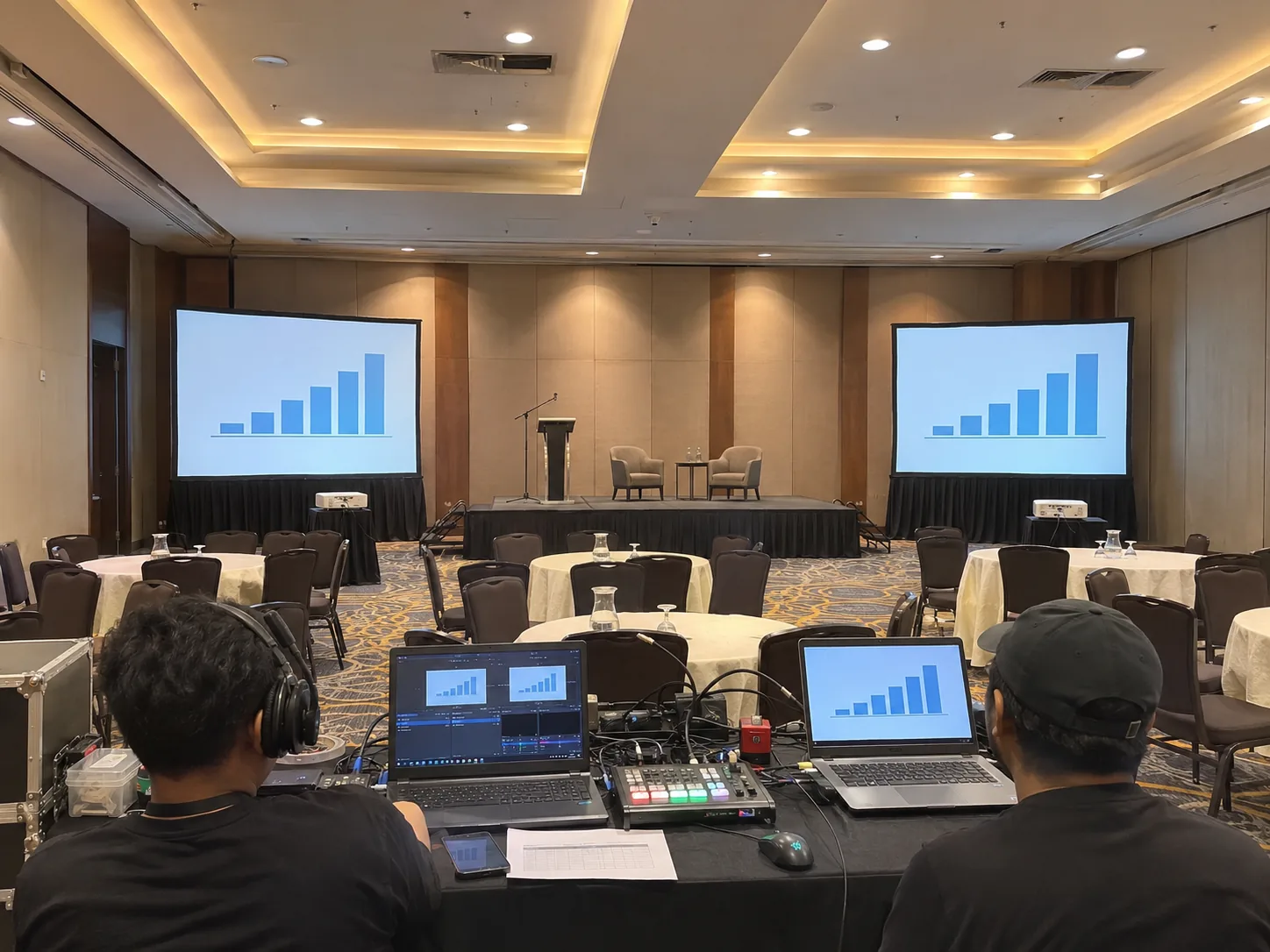
Mark blocked seats and each signal run. Decide whether both screens show the same source.
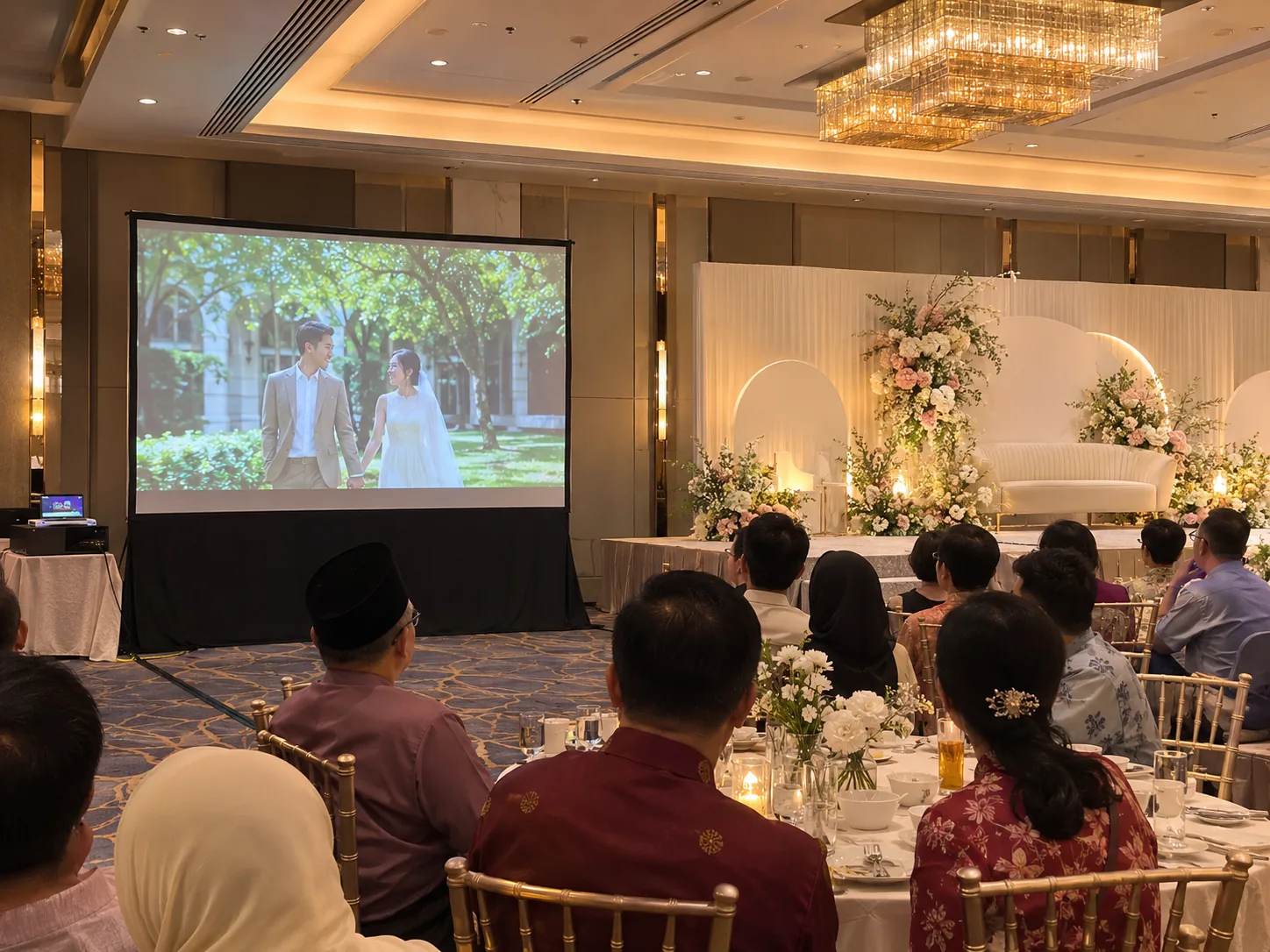

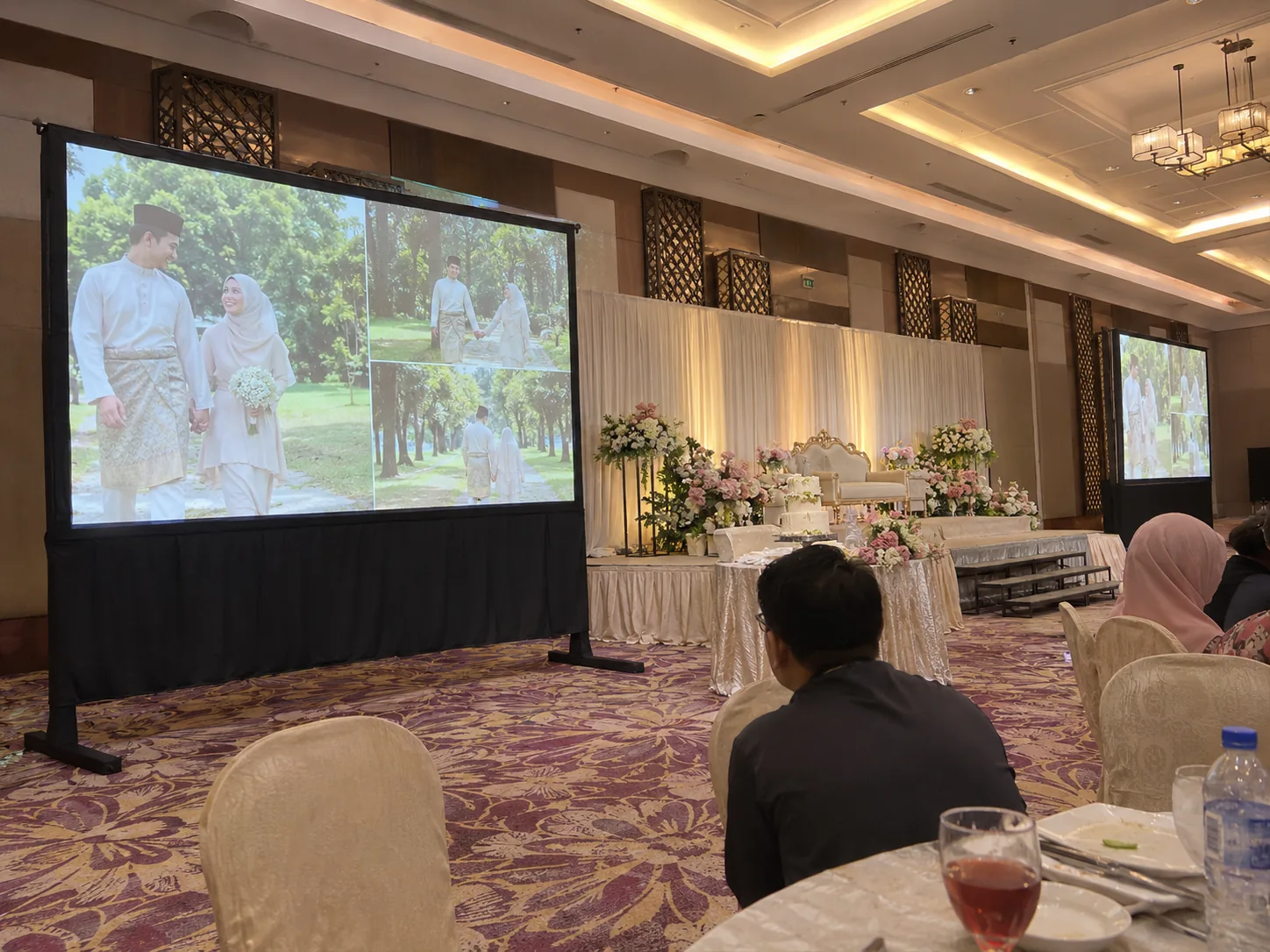
The brief The rear tables need to see the montage above the centrepieces while dinner lighting stays on.
CK would test a skirted portable screen at the side of the dais, check 120 versus 150 inches from the rear tables and ask the venue to dim the lights nearest the screen. We would test the actual montage and send its sound to the house mixer if the venue agrees.
How we check it The rehearsal checks the darkest scene, subtitle size and sound level from the back before guests enter.
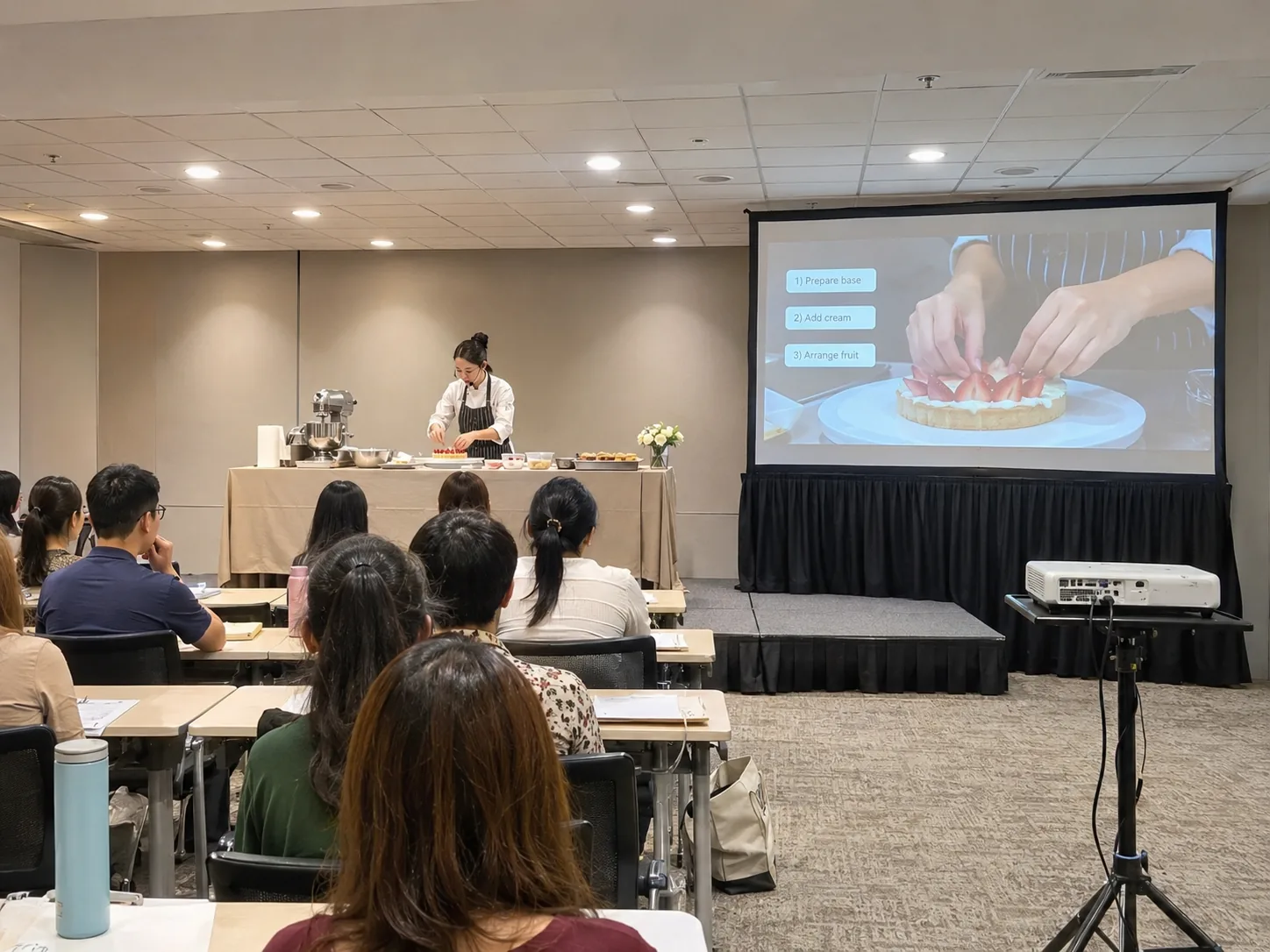
The brief Students in the back row need to see the presenter’s hands and the labels on the slide while keeping their desks lit.
CK would route a close-up camera to a side screen, check HDMI or USB-C from the teaching laptop and leave the desk lights on while testing the camera image. If the lens position is too close for a standard projector, we would compare short throw and a display.
How we check it A test from the last seat confirms whether the demonstration and the smallest on-screen labels are readable.
183 Jalan Bukit Bintang
Send the room and floor. For an AGM, check whether CK should feed the house display, supply a side screen or split the signal to a breakout.
170 Jalan Bukit Bintang
Identify the hotel event room and the loading point for that room. Ask if a spare input is available for a second laptop or montage playback.
160 Jalan Bukit Bintang
If the function room uses daylight, send a photo facing the screen with the blinds as they will be during the session. Test the finest slide text.
1 Jalan Imbi
Name the ballroom or partition. Share the house LED or screen arrangements and the signal needed at any registration or overflow room.
Jalan Bukit Bintang
For a seated dinner, send the final table plan and stage position. Ask whether a side screen can be placed clear of servers and exits.
Jalan Hang Tuah, near BBCC
For a school ceremony, confirm the approved gate, hall and rehearsal time. Test award names from the back row under programme lighting.
Jalan Loke Yew, nearby Pudu
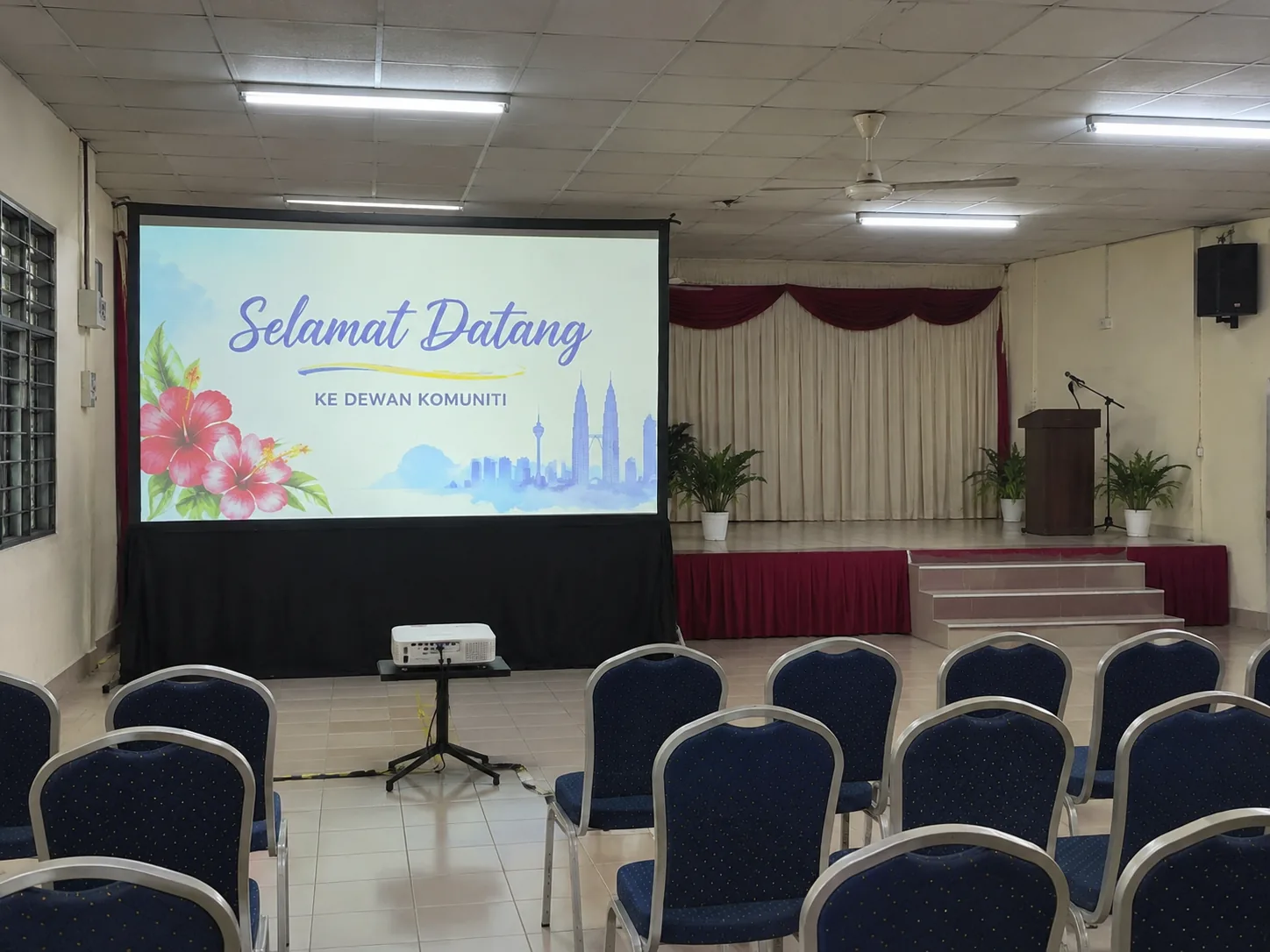
Send the building and hall name for a school programme. Check how high a portable screen can sit below fans and above the seated audience.
Berjaya Times Square, Jalan Imbi
Confirm the teaching floor and tower with the organiser. For a demo, check the camera feed, the laptop output and the last row’s view.
Jalan Hang Lekiu, nearby city centre
Share the room level and permitted access route. Run one real lecture slide and test whether fine text is readable with lights on.
Jalan Maharajalela, nearby Merdeka
Confirm the hall or auditorium and ask about approved floor protection, equipment positions and cable routes before bringing in a screen.
Jalan Dewan Bahasa, nearby Hang Tuah
Confirm room booking and AV contact with DBP. Identify whether subtitles, a presentation or a live camera are going to the screen.
Merdeka 118 precinct, Jalan Hang Jebat
Give the room or seating block and operator position. For a wide audience, ask where a repeat screen and cables can be placed.
Merdeka 118 precinct, Jalan Stadium
For an outdoor programme, share show time, wind exposure and rain arrangements. Compare projection after dark with a daylight display.
Jalan Hang Jebat, nearby Merdeka
For a basketball awards or results display, agree the screen location with the officials and keep all stands and cables outside the playing area. Test names and scores from the opposite seating block.
Jalan Kelab Golf, nearby Jalan Tun Razak
For a tournament presentation, specify the booked function space and test scoring text and names under the room lighting.
168 Jalan Bukit Bintang
Send the retail event floor and booth plan. Identify the power point, distance from lens to screen and the time the organiser can accept delivery.
1 Jalan Imbi
Identify the zone and mall receiving contact. Confirm if the demonstration faces shoppers walking past or an audience seated within the booth.
Jalan Hang Tuah, BBCC
Specify the event zone, indoor or outdoor position and light at show time. If the screen is exposed to daylight, compare a TV or LED option.
Jalan Bukit Bintang
Share the floor, tenant or event area and minimum aisle clearance. Check with management where the projector and cables may be placed.
Jalan Bukit Bintang and Jalan Sultan Ismail
For a display near a busy walkway, keep stands inside the event boundary and test readability from the direction visitors approach.
Bukit Bintang City Centre
Ask the production team who supplies content playback, where video can be patched in and which stage lighting cues affect the screen.
Bukit Bintang
For a private function, give the restaurant and its room. Check access before the tables are set and keep the image away from direct street light.
Bukit Bintang
For a private screening, identify the outlet and agreed access time. Check whether the house mixer can take video audio and where guests walk.
Jalan Kia Peng, nearby city centre
For a staff workshop, check approved non-clinical room access, audio limits and delivery timing with the organiser.
Jalan Bukit Bintang and Jalan Sultan Ismail
Use the station as an arrival landmark. For equipment delivery, send the separate service entrance of the actual event venue.
Ask which screens and audio inputs the room package includes. Measure sightlines over banquet tables and confirm the goods lift and collection time.
Measure below fans and beams, and check the aisle after chairs are set. Ask about fast-fold frames and lower skirting for a stage-side setup.
Ask the organiser for the hall, gate and permitted setup time. Test an award name or slide from the last occupied row.
Send the campus and block, source format and seating plan. For a live demonstration, test the smallest labels with the lights on.
Check booth depth, service access and light on the display. A portable projection screen needs a clear beam path. Compare a TV if the booth is bright or shallow.
Test the view past seated guests, check kitchen or bar lighting and confirm how to route video audio without blocking service paths.
Check stage-light spill, operator location and source switching. Include the sound check and the venue’s permitted teardown time.
Share the building, room and organiser contact. Check supplier access, playback approval and who controls the house system.
Test scores and names from the audience and officials’ desk. Confirm a stable position for the screen, with cables clear of spectators and play.
Check the seating blocks, show lighting and approved display positions with the venue team. Include the rehearsal, cable routes and crew access in your enquiry.
Confirm a training or public-event room with the organiser. Keep clinical access clear and check volume, power and operating hours.
For a hotel ballroom, send the event floor and name of the room. For a retail launch, give the booth boundary and ask which lights can be dimmed.
For a restaurant or shoplot, tell us when the organiser can accept delivery and which route remains open for diners. Measure the throw distance with tables in place.
Tell us if the delivery is for the hotel, mall or college. Include the tower, level, receiving contact and goods lift. Ask about the venue’s existing display and audio.
Confirm the site entrance for the mall, performance hall or school. For an open-sided venue, send a photo at the actual show time and identify a dry backup area.
For a boardroom or high-floor meeting, confirm the goods lift and available lens distance. Test the slides under the room lighting needed for note-taking.
For a programme in the nearby Merdeka precinct, specify the stadium, room or deck. Share the seating blocks and confirm where screens, operators and cables may go.
For a venue near Pavilion or Starhill, ask the organiser for the vehicle entrance, reserved unloading window, lift dimensions and security process. At 1 Jalan Imbi, give the hotel, retail or campus destination and the exact tower and level. For a Jalan Alor or Changkat event, tell us when the entrance is clear enough for the equipment case and how late collection is allowed.
A 120-inch 16:9 picture is about 2.66 m wide. If only 2 m is available from lens to screen, that needs a throw ratio around 0.75:1. CK would check the exact lens chart and room clearance. In a bright mall or a booth that cannot keep the beam clear, ask for a direct-view display quote as well.
For an AGM, mark every seating block and send a slide with the smallest voting text. For live camera, specify what must appear on each screen and who operates the switcher. For video with sound, share the laptop and file format so the audio route can be included and tested.
Yes, if the hotel allows the connection. Send the room and house AV contact. Ask which signal inputs are accessible, whether the house technician must operate them and how much time is available for rehearsal.
Send the date, building, level, first access time and collection deadline. CK can quote the hire duration, set-up and any operator time. Share a sample slide and say whether participants need to keep desk lights on.
Share a photo taken during the planned show hours and measure the space from the proposed lens position. If light falls directly on the fabric or people cross the beam, CK can compare an approved screen position or a direct-view display.
Share the school or stadium name, the room, the planned audience area and venue approval for equipment. CK can size the image for award names and test sightlines from the officials’ desk and the farthest seats.
The quote depends on the screen and lens, hire duration, delivery and collection windows, and whether you need sound, switching or a technician. Send the access details early if the venue has a timed loading bay or an upper-floor room.
For Bintang Walk, Jalan Alor, Changkat Bukit Bintang, Jalan Imbi, Hang Tuah / BBCC and nearby areas, send the event pin and your preferred setup and collection times.
Mark the dining-room entrance, screen feet and power outlet on one photo. On Jalan Imbi, confirm that the event room and loading point belong to the same building before sharing the delivery pin.
Tell us which stop uses the projection kit and which uses just a portable speaker. For multiple addresses around Imbi or Changkat, include access hours for each venue.