Reserve a clear backstage path
Measure from the rear fabric to the lens position. Allow space for crew access, cabling, ventilation and an equipment barrier.
Place the projector behind a compatible screen to keep equipment out of the audience’s line of sight. Reserve the required backstage depth first.
Measure from the rear fabric to the lens position. Allow space for crew access, cabling, ventilation and an equipment barrier.
Specify rear projection fabric and test the projector’s rear image mode with the actual source.
For a 150-inch 16:9 image the active width is roughly 3.32 m. A lens with a 0.8:1 ratio needs about 2.66 m from the lens to the surface. Add equipment, ventilation and crew space separately, and confirm the exact model’s chart and rear fabric before reserving the room.
Align with a grid and play a slide containing text. Set the projector to the appropriate rear image mode so the audience reads it correctly. Check backstage light spill, keep the lens and cables out of walkways, and review the picture from edge seats where brightness may look different.
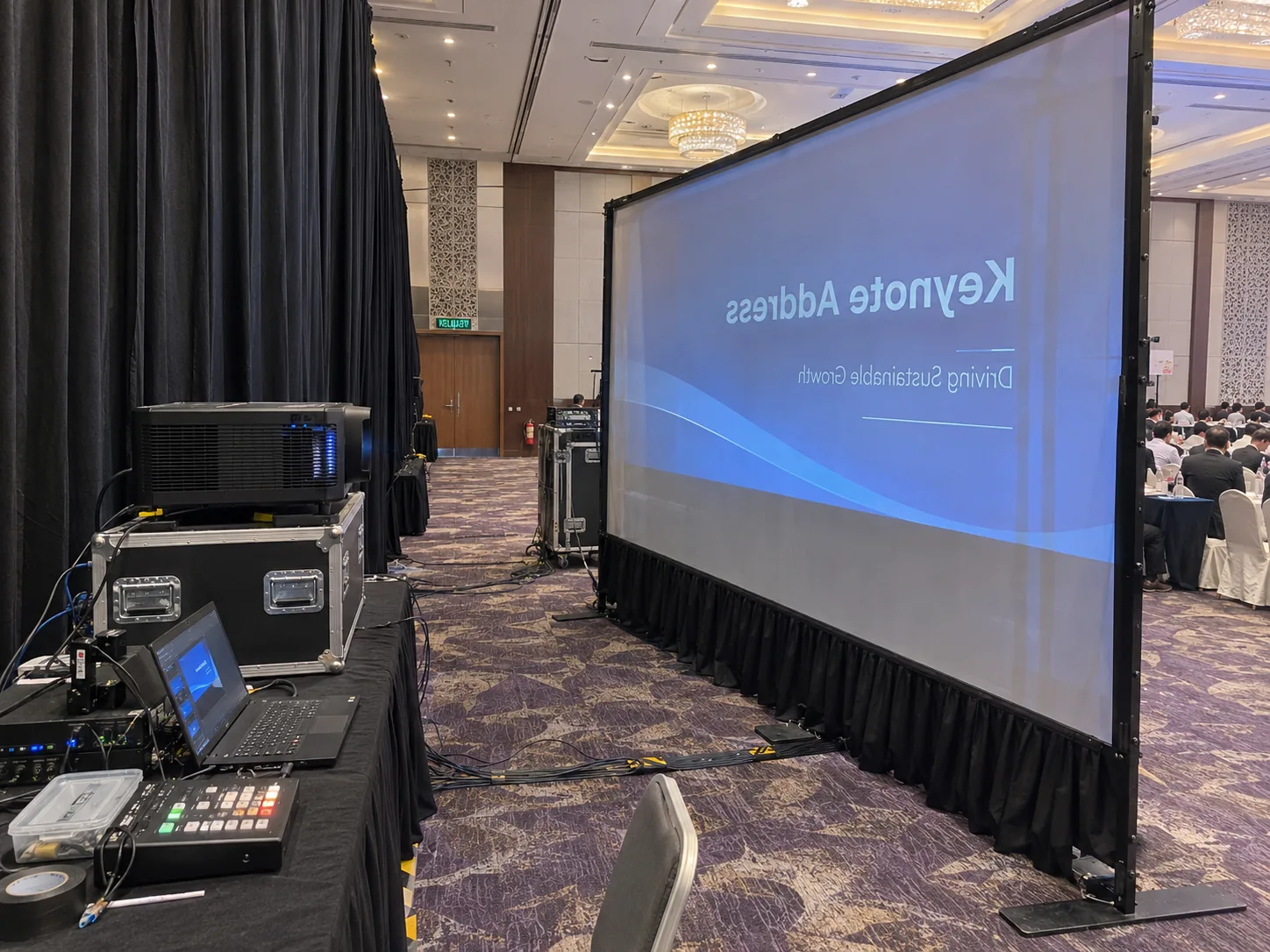

Rear projection requires a compatible translucent surface. Tell CK your desired screen width and the usable depth behind it.
A 150-inch 16:9 picture is about 3.32 m wide. A 0.8:1 example lens needs about 2.66 m from lens to fabric. Confirm the actual lens, then add room for the projector body, ventilation and crew.
Compare front projection if backstage depth is limited or the organiser needs that space for people and equipment. Check whether a position in front can stay clear of audience traffic and camera lines.